
When I decided to recreate the iconic Stranger Things alphabet wall digitally, I knew it needed to feel authentic — flickering lights, atmospheric particles, and that eerie Upside Down vibe. Here's how we built it.
Starting with Reality
The foundation was a photo of an actual Stranger Things-inspired wall setup. Rather than building everything from scratch, we used this image as our canvas and overlaid interactive elements on top. This gave us the authentic texture and lighting that would be hard to replicate with pure CSS.
Calibrating the Lights
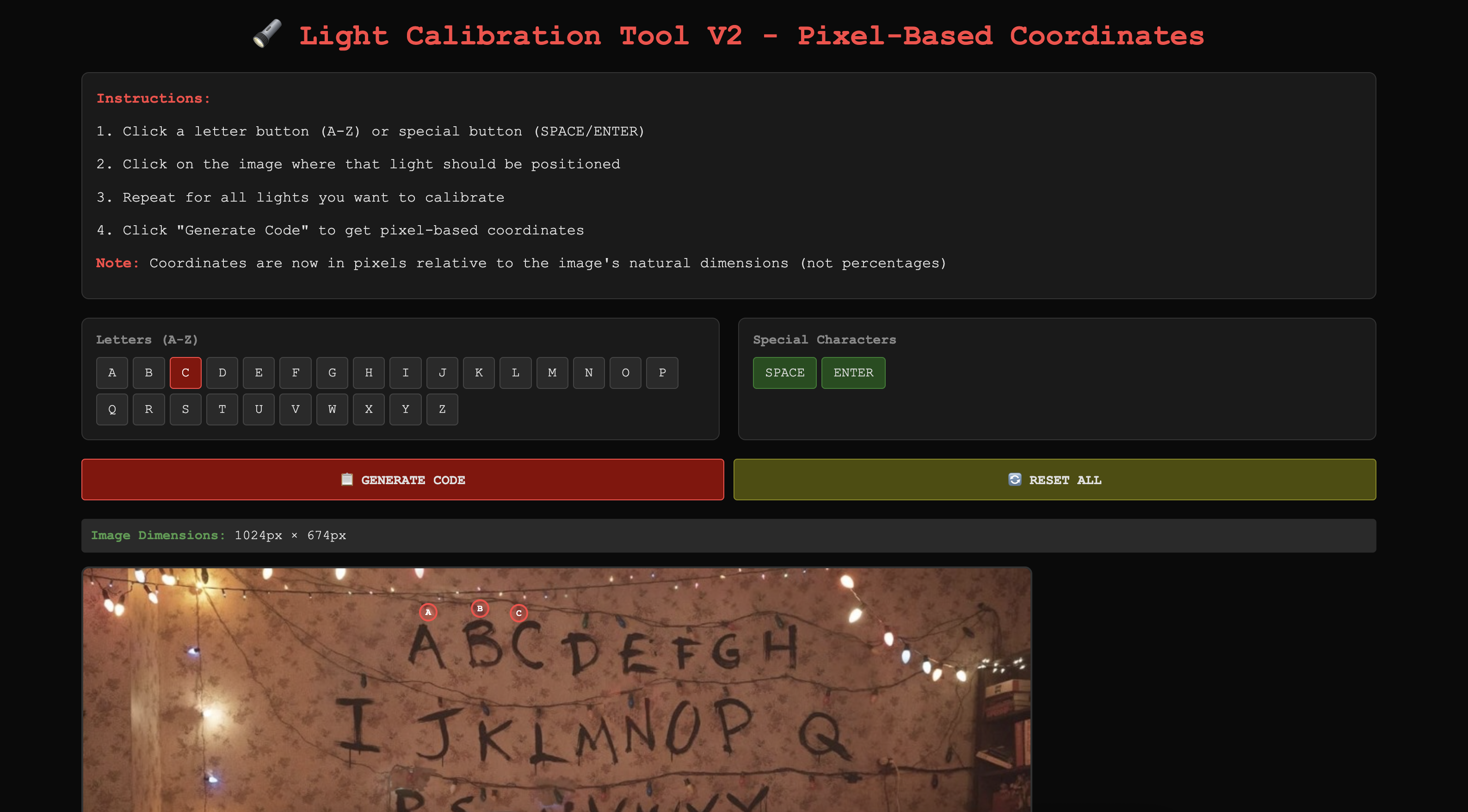
The trickiest part? Positioning 28 individual light bulbs (A-Z plus space and enter) precisely over the painted letters in the image. We built a calibration tool — a simple HTML page where you click on each letter in the photo, and it records the exact pixel coordinates.
The tool outputs position data relative to the image's natural dimensions (1024×674px), which then gets converted to responsive percentages at runtime. This way, the lights stay perfectly aligned whether you're on a phone or a 4K monitor.
We also added a calibration mode (accessible via URL parameter) to add extra decorative lights scattered around the wall. Click anywhere, and boom — new light position saved.
Three Modes of Interaction
The Message: Auto-plays an intro message with lights blinking in sequence. Each character triggers its corresponding bulb for 150ms. When the message completes, all 26 letters run through a randomized wave animation — 2-3 bulbs glowing at once, creating a mesmerizing cascade effect.
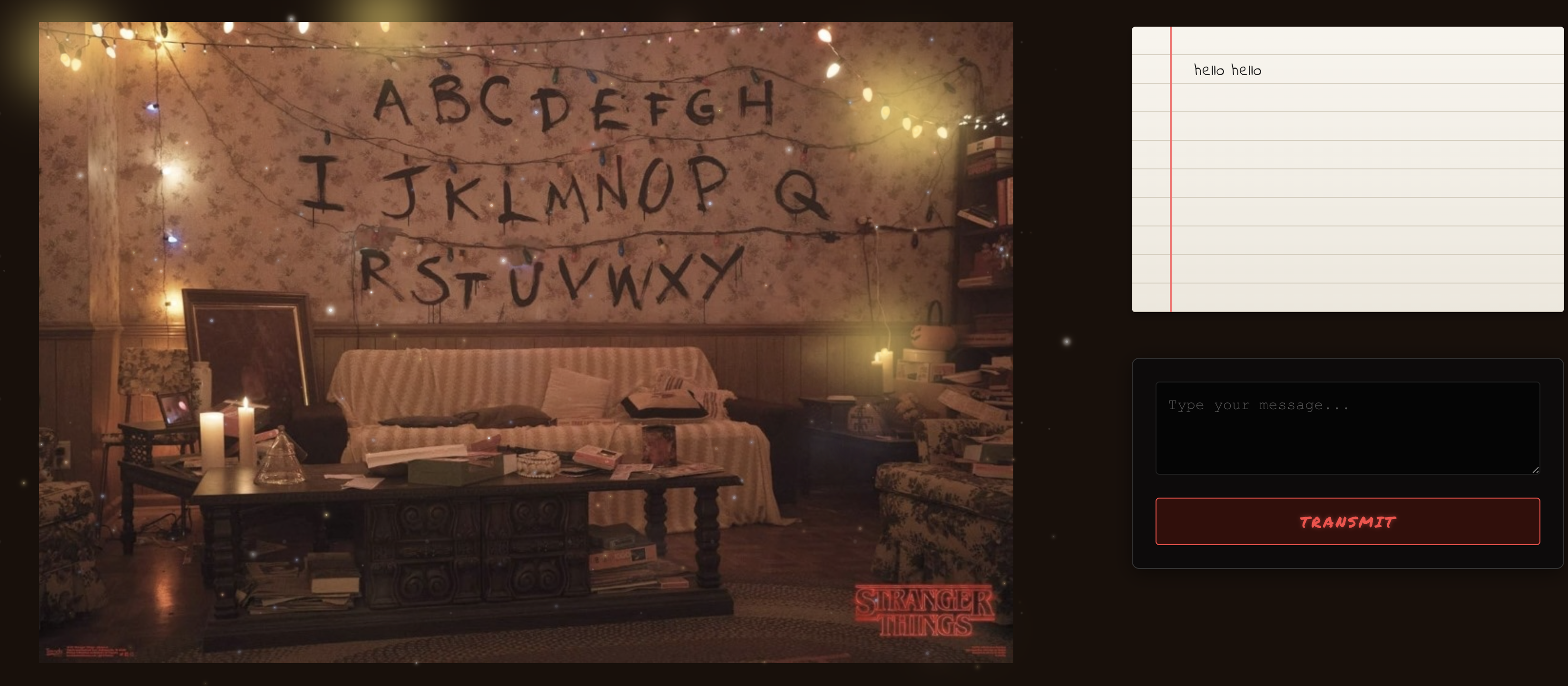
Transmit: Type your own message and watch it spell out on the wall. The lights blink character by character, filtering input to only letters, spaces, and newlines.
Decode: The hidden message "RUN HE IS COMING" loops every 20 seconds with slower 800ms timing per character, giving you time to decode it. Once you crack it, the loop stops.
Adding Atmosphere
The wall needed that Stranger Things magic, so we layered in particle effects:
Falling Sparkles: 88 particles falling from top to bottom at varying speeds (25-35 seconds), with randomized sizes, colors (warm, cool, golden), and brightness levels. They use viewport height units so they travel the full screen regardless of device.
Twinkling Sparkles: 36 stationary particles scattered throughout that pulse and shimmer in place, adding depth.
Burst Sparkles: 24 dramatic flashes that pop and fade at random intervals.
Bokeh Effect: 16 large, heavily blurred particles simulating out-of-focus lights close to the camera. These move very slowly (30-50 seconds) and create that dreamy depth-of-field look.
All particles use seeded random generation for consistent placement across renders, with CSS custom properties for timing and opacity variations.
The Right Panel
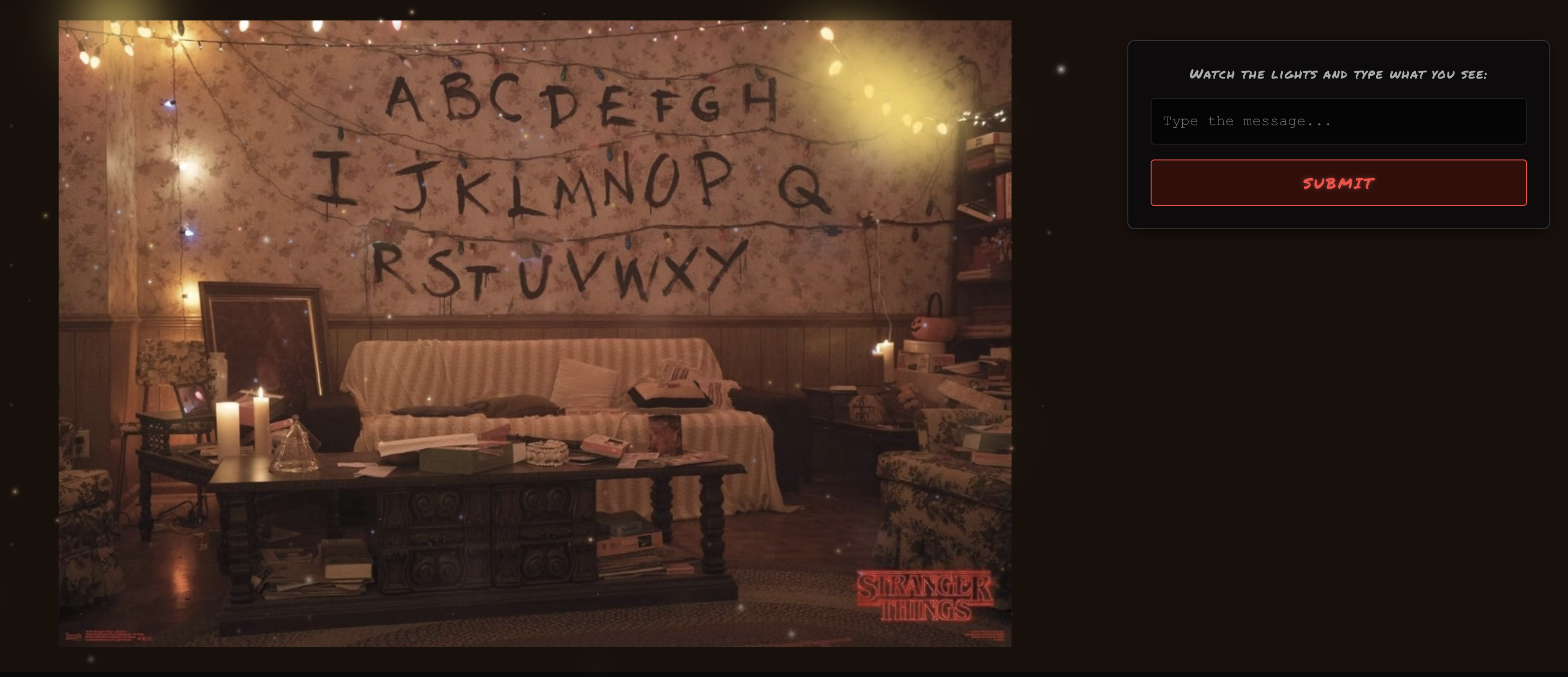
The text display mimics a notebook with lined paper — cream gradient background, horizontal ruled lines via CSS pseudo-elements, and a red margin line. The handwritten font (Indie Flower) adds to the analog feel.
In decode mode, the notebook disappears entirely, leaving just the input panel so you can focus on watching the lights.
Pause and Resume
One challenge: what if someone switches tabs mid-message? We implemented session storage to track progress. If you leave during the intro, it pauses and saves your position. Come back, and it resumes right where you left off. Once complete, it's marked as "done" and jumps straight to the wave animation on return visits.
Mobile Optimization
On smaller screens, everything scales down — smaller fonts, tighter spacing, reduced button sizes. The layout switches from side-by-side to stacked (wall on top, notebook below), with the bottom navigation bar shrinking to prevent text wrapping.
The Tech Stack
Built with Next.js and React, using TypeScript for type safety. All animations are pure CSS with JavaScript controlling timing and state. No heavy libraries — just clean, performant code that runs smoothly even with 164 particles floating around.
The whole thing is statically generated and deployed on Vercel, so it loads instantly.
Why This Matters
This project shows how AI-assisted development has evolved. What would've taken days of tweaking coordinates, debugging animations, and fine-tuning particle physics happened in hours. The calibration tool, particle system, pause/resume logic — all built through conversation.
We're not just writing code faster. We're building things we might not have attempted before because the friction is gone.
Try it yourself: bhaumikmistry.com/vibe-coding/talk-to-will?tab=decode